
Save $20 - Buy PCmover Professional!

The ONLY Software that Moves Programs, Files and Settings!

  • Easy-to-Use Wizard
  • Set It and Forget It
  • Complete Selectivity
  • Multiple Transfer Scenarios
  • Undo Feature
  • User Profile Selectivity
Transfer Computers


Features

Reviews

Documentation

Offers

Key Features

Easy to use

Easy-to-Use Wizard

Just install PCmover on both of your computers and use the Wizard to start transferring everything you want to the new PC.

Set it and forget it

Set It and Forget It

You start the transfer and walk away. PCmover does the rest!

Complete selectivity

Complete Selectivity

Automatically copy the applications, files and folders you choose to your new PC. Programs are set up by PCmover and ready to use.

Multiple Transfer Scenarios

Multiple Transfer Scenarios

Move from an old PC to a new one or transfer contents of an old hard drive (or image).

User Profile Selectivity

User Profile Selectivity

Transfer all or selected user profiles including related settings in one easy step.

Undo Feature

"Undo" Feature

Quickly reverse changes made to your new PC with PCmover's easy undo feature

The Easiest Way to Set Up a New PC!

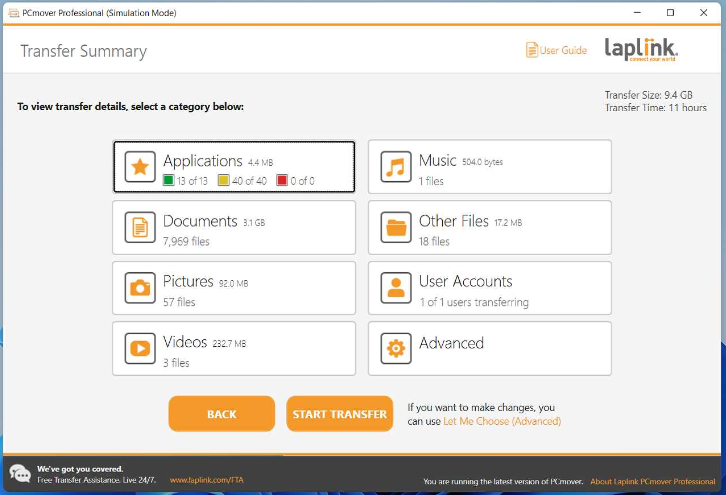
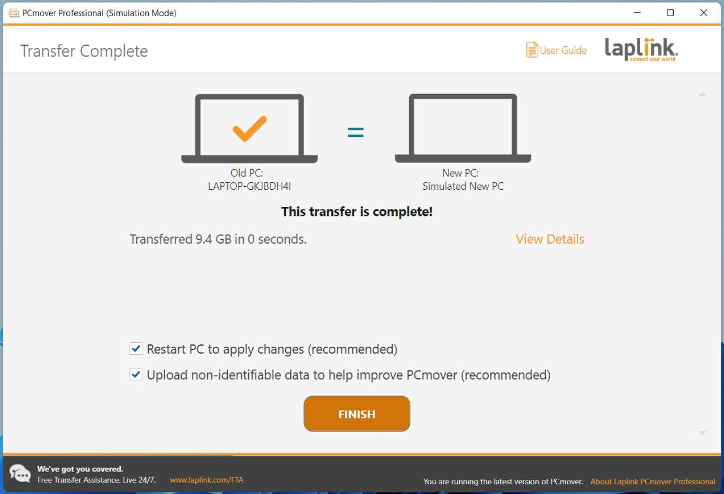
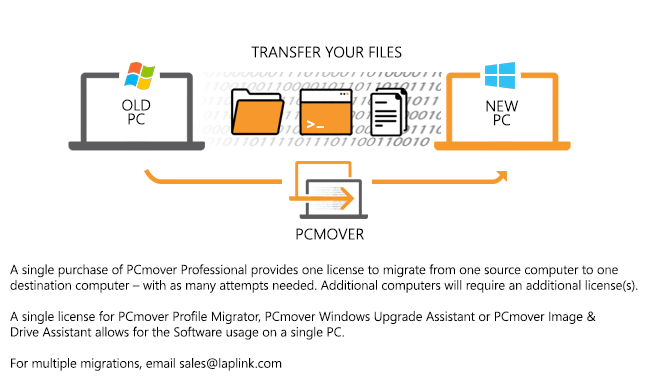
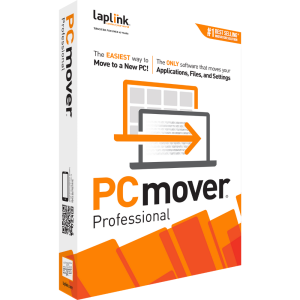
PCmover Professional automatically moves all the programs, files and settings you select from your old PC to your new one and all of your applications will be installed automatically ready to use.

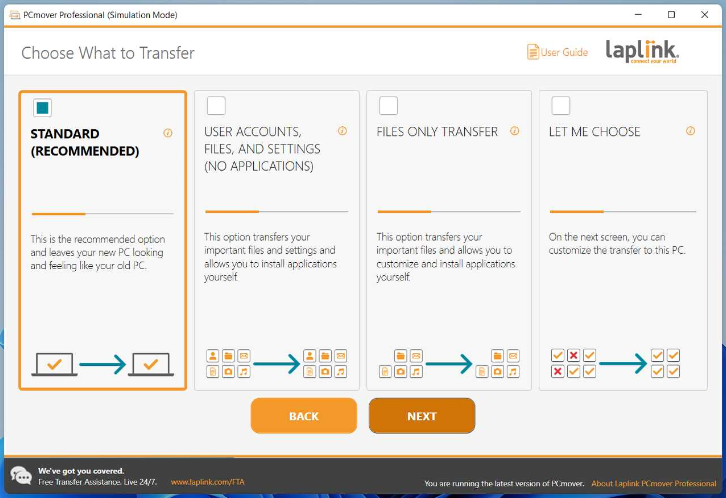
Simply install PCmover Professional on both your old and new computers and go! Click through the easy-to-use wizard to select which type of transfer you would like to do.

When the transfer is complete your new computer will have the same personality and functionality as your old PC, plus there is no need to reinstall your programs because PCmover does it for you. PCmover is the easiest way to move into a new PC without leaving anything behind and works with almost any version of Windows. You can even use PCmover to migrate your PC to an Intel-based Mac using VMware Fusion, Parallels or Bootcamp.


Setup Your New PC in 3 Easy Steps

1

Install PCmover on both PCs

Step One - Install PCmover on both PCs

2

Connect the old and new PCs

Step Two - Connect the old and new PCs

3

Begin the transfer!

Step Three - Begin the transfer!


How much is your time worth? A painstaking migration done manually can take a couple of days, and you can still miss stuff. A PCmover migration takes hours, and doesn't miss anything."

PC Magazine

…I've never been able to get a new PC looking this much like its predecessor before, regardless of how many hours I invested… I let Laplink's PCmover Professional do the heavy lifting."

Barron's Magazine

Tucows - 5 cows!
Softpedia - 5 stars!
Top Ten Reviews - Gold Award 2011
 

Reviews for PCmover Professional

Don't take our word for it. Watch these independent PCmover reviews to learn more about the best-selling PC migration utility in the world.

Get Connected PCmover Review

Dotto Tech PCmover Review Part One

Dotto Tech PCmover Review Part Two


Laplink's PCmover Helps Windows 8 Migrations

PCmover Windows 8 Beta Assistant allows users to move selected programs, files and settings from a Windows 7 or Windows 8 machine into a new machine running Windows 8. Laplink has had an earlier version that was very useful in Windows 7 migrations from XP. You can watch a short video of mine... read more »


ReadWrite Enterprise
David Strom
Jan 2012


Ease the transition to Windows 8 with PCmover Windows 8 Beta Assistant

Can also be found in the following publications: BetaNews - http://betanews.com/2012/01/07/thinking-about-the-big-upgrade-try-laplink-pcmover-windows-8-beta-assistant/ PC Authority -... read more »


Softwarecrew
Mark Wilson
Jan 2012


Got A New Computer? Oh, Joy, Now You Get To Spend Days Setting It Up! Or Do You?

Lets face it, getting a new computer is a double edged sword.  You get the latest or greatest computer, or at least better then what you had…. But know you have to not only get all your data off your old computer and onto your new computer.  Along with all... read more »


Biznetonline
Mike Lipshultz
Jan 2012


Laplink Announces PCmover Windows 8 Beta Assistant Release

Developer Laplink Software Inc. has announced its pending release of PCmover Windows 8 Beta Assistant. The official release will be this week, on Jan. 5. Based on Laplink’s migration product, PCmover Windows 8 Beta Assistant is designed to automatically move files, settings, user accounts,... read more »


ChannelPro
ChannelPro-SMB
Jan 2012


Laplink is Releasing a Free Migration Toll for Windows 8 Beta

While there have been mixed opinions regarding Windows Developer Preview, I honestly can say that I’ve found it a relatively stable (if not a little boring) test build. While Metro isn’t really worth a lot of time yet, I fully expect this to change once the Beta arrives and we get to play with the... read more »


Windows 8 Update
Andrew Grush
Dec 2011


Documentation & Requirements for PCmover Professional

Documentation

System Requirements

  • Windows 7 | Vista | XP | Media Center | 2000
  • 200 MB of hard disk space

What You Should Know

PCmover Professional should be used for migration only as intended and as described in the Quick Start Guide. If you attempt to use this product for unintended purposes, your computer may become unstable or unusable. If you have any questions, please visit technical support.

  • Some programs on your old computer may not be compatible with a newer operating system.
  • Files with Digital Rights Management (DRM), such as music files and programs that require keys or serial numbers with a hardware fingerprint, may require deactivation on the old PC and reactivation on the new PC.
  • Some programs with unique copy protection may need to be deactivated on the old PC then reactivated with their original key or serial number on the new PC.
  • If you are unable to deactivate applications on the old PC, please contact the software manufacturer for each respective application to have the license reactivated.
  • Users are responsible to follow user license agreements with each application that is moved.
  • You should remove trial software on the new computer if a full version exists on your old PC.
  • Antivirus and Anti-Spyware programs will not be moved to your new PC.
  • Specific hardware drivers will not be moved to your new PC.
  • PCmover is not designed for migrations from newer operating systems to older operating systems. For example, we do not recommend attempting to migrate from a PC running Windows 7 to a PC running Windows XP, as doing so may render your system unstable.
  • Make sure to apply all appropriate Windows Updates (including .NET) to your new PC before performing a migration with PCmover.
  • Please note that PCmover Professional serial numbers are unique to PCmover Professional and will not work with other editions of PCmover.

Current Offers for PCmover Professional

Get 2 licenses of PCmover Pro + SafeErase!

Get 2 Licenses of PCmover and 1 License of SafeErase

$84.95

Regularly $150 – SAVE $65!


Press
  • PCmover to be Given Away for Free in Commemoration of 29 Years of Quality Software
    May 14, 2012 - As part of the ‘Laplink Turns 29 Giveaway’, PCmover Windows 7 Upgrade Assistant will be free for all visitors.
  • Laplink Software Celebrates 29 Years of Success by Giving Away PCmover
    Apr 30, 2012 - Since 1983, Laplink has provided file transfer and synchronization solutions to businesses and consumers worldwide.
    White Papers
    Email Promotions
    For Consumers
    Email Sign Up
    For Business
    Email Sign Up

    Sign up today and receive special offers and product updates!

    • View Recorded Webinars
    • Sign up for Webinar Alerts

    © 2012 Laplink Software
    Privacy Policy | Legal Statement