
PCmover Home
The ONLY software that moves your applications, files, and settings.
$39.95
£27.95 | €31,95 buy Now- Simple setup wizard — set it and forget it!
- Migrate everything you choose
- Transfer applications & cloud directories
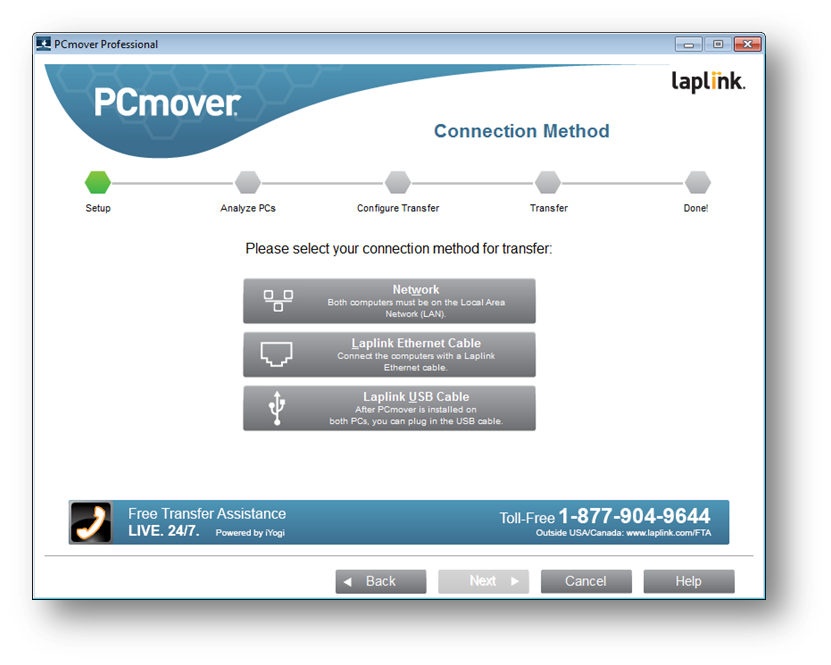
- Automatic PC discovery & connection
- Enhanced transfer speeds
- Modify library folder destinations
- Foolproof "undo" feature
- Includes Free Transfer Assistance
PCmover Home Pricing
-
Download
-
Upgrade to Professional
-
Download
-
Upgrade to Professional
-
Download
-
Upgrade to Professional
-

Buy with confidence!
30-day money-back guarantee!
*This version of PCmover supports Windows 7, 8, 8.1, 10, and 11. For older versions of Windows, Laplink customer service will provide a special version of PCmover that is compatible.

PCmover home limitations
Cannot have more than one drive or partition (C: to C: drive only)
Only moves the logged on user (no domain users)
No In-Place Upgrades
Cannot restore old PC
Learn More about PCmover Professional
Easy to use
Install PCmover on both of your computers and follow the simple setup to start transferring everything you select to your new PC.

Free Transfer Assistance
Quickly set up your new PC with the help of a certified PC migration expert, over the phone or remotely. Free, 24 hours a day, 7 days a week.
Learn More
Keep Everything
Automatically move the currently logged in user, local accounts only; as well as all selected applications, files, and folders to your new PC.
The easiest way to
move to a new PC!
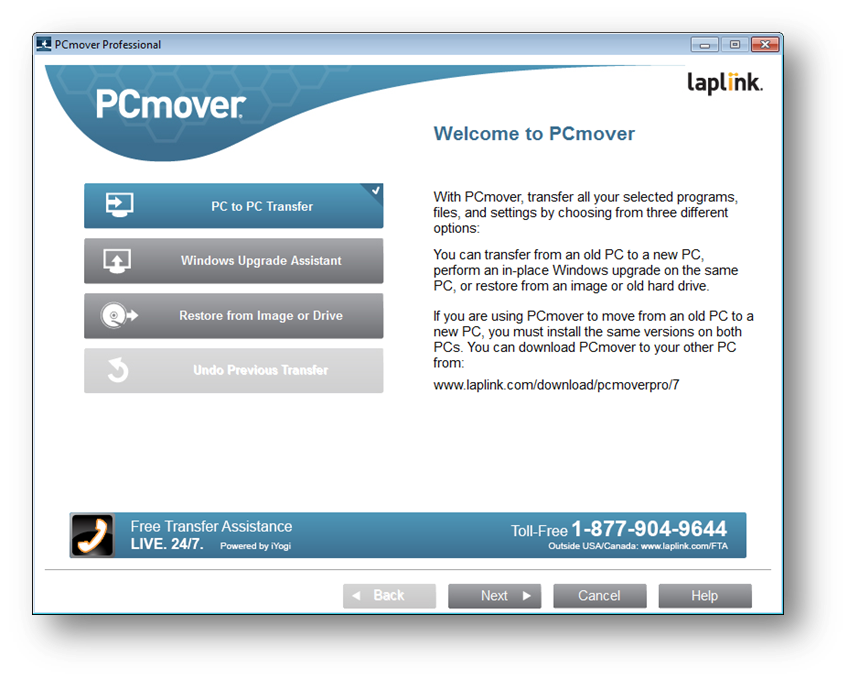
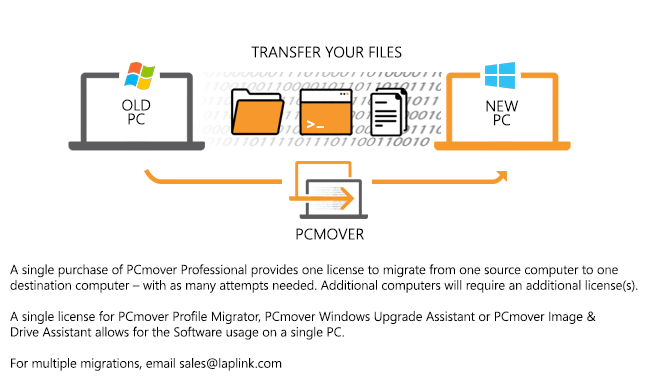
PCmover Home is the ONLY software that automatically moves all selected files, settings, user profiles, and even programs from an old PC to a new one. And because most transferred applications are installed ready-to-use on the new PC, there’s usually no need find old CDs, previously downloaded programs, serial number or license codes.*
PCmover Home is the easiest way to move to a new PC without leaving anything behind, even when there are different versions of Windows on the old and new PC. Nothing is changed on the old PC and nothing is overwritten on the new PC. PCmover is fully compatible with Windows 11, 10, 8.1, 8, and 7. For more information, visit the user guide!
*Applications may require re-entry of a license code or re-activating on the new PC. Certain system settings and applications may not be transferred due to incompatibility with the operating system on the destination PC.
Easy PC Setup: 3 Steps

1. Install
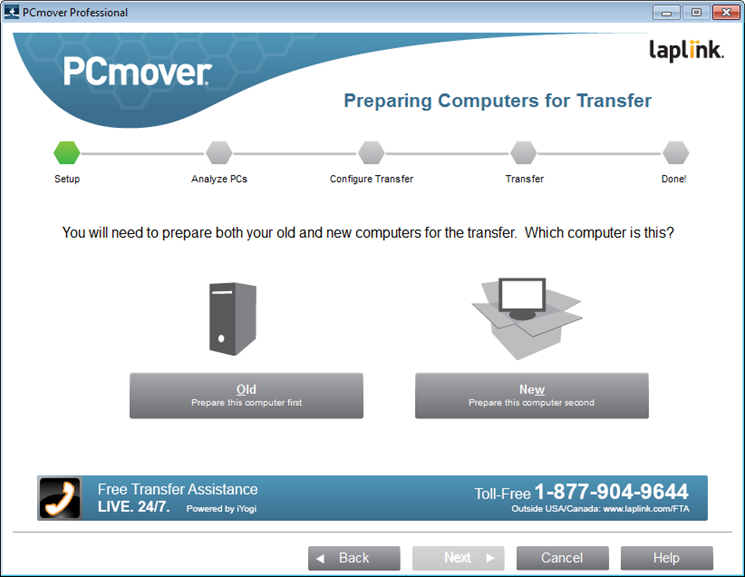
Simply install PCmover Home software on both your old then follow the step-by-step wizard to get started.
2. Transfer
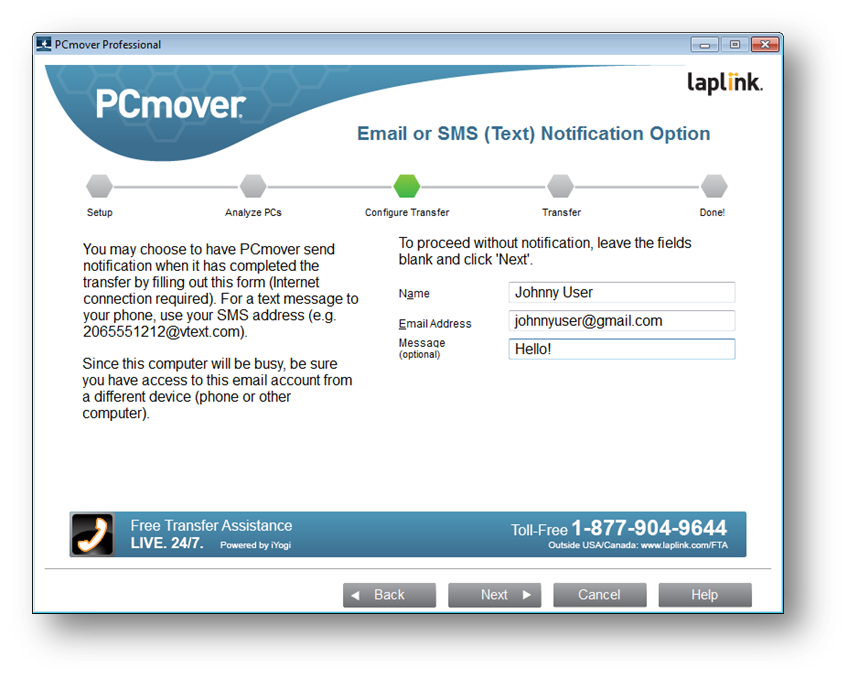
Click through the easy-to-use wizard to select which programs, files, and settings to transfer to your new PC.

3. Done!
Your new computer has the same personality and functionality as your old PC. No need to reinstall programs because PCmover did it for you.
client testimonials
Important
PCmover should only be used as intended and as described in the User Guide. If you attempt to use this product for unintended purposes, your computer may become unstable or unusable.
If you have any questions, please review the documentation below or contact
Laplink Technical Support.
PCmover Home Documentation
System Requirements
Windows 11 |10 | 8.1 | 8 | 7
Internet connection required for software download and registration.
200 MB of hard disk space
What You Should Know
- Logged-On User Only / Domain Users Not Supported. Note: If you need to transfer more than one user, hard drive, or a domain user, then you need PCmover Professional
- Multiple Hard Drives Not Supported. PCmover Home will only transfer data from the C: drive on the old computer to the C: drive on the new computer. Other hard drives (e.g., E:) will be excluded from the transfer.
- Some programs on your old PC may not be compatible with a newer operating system.
- Files with Digital Rights Management (DRM), such as music files and programs that require keys or serial numbers with a hardware fingerprint, may require deactivation on the old PC and reactivation on the new PC.
- Some programs with unique copy protection may need to be deactivated on the old PC then reactivated with their original key or serial number on the new PC.
- If you are unable to deactivate applications on the old PC, please contact the software manufacturer for each respective application to have the license reactivated.
- Users are responsible to follow end user license agreements with each application that is moved.
- You should remove trial software on the new PC if a full version exists on your old PC.
- Antivirus and Anti-Spyware programs will not be moved to your new PC.
- Specific hardware drivers will not be moved to your new PC.
- PCmover is not designed for migrations from newer operating systems to older operating systems. For example, we do not recommend attempting to migrate from a PC running Windows 7 to a PC running Windows XP, as doing so may render your system unstable.
- Make sure to apply all appropriate Windows Updates (including .NET) to your new PC before performing a migration with PCmover.
- Please note that PCmover Home serial numbers are unique to PCmover Home and will not work with other editions of PCmover.